
Showing posts with label smartwatch. Show all posts

Monday, 19 January 2015

This Is How Xiaomi Keeps The Cost Of Its Smartphones So Low


Xiaomi’s combination of well-spec’ed phones and low price tags drove the company to over60 million sales last year. That progress saw it replace Samsung as China’s top-selling smartphone company and become the world’s third top selling phone maker in the process.
The Chinese company’s flagship Mi devices typically retail for around $300 — its new Mi Note Pro notably breaks the $500 barrier for the first time — while its affordable Redmi family is sub-$150. For comparison, Apple’s top of the range iPhones sell for over $1,000 off contract, while the Samsung Note and GalaxyS families are similarly priced. So how can Xiaomi be so aggressive with its pricing?
Many theories have been put forward, including claims that Xiaomi sells at cost and makes money from other services. Hugo Barra, the company’s VP of International, lifted the lid on some of the company’s secret sauce in an interview with TechCrunch in Beijing last week.
Xiaomi is able to make price concessions thanks to the combination of a small portfolio and longer average selling time per device
Barra explained that Xiaomi is able to make price concessions thanks to the combination of a small portfolio and longer average selling time per device.
Importantly, Xiaomi continues to sell older devices (and tweaked versions of them) at reduced prices even after it releases newer models.
“A product that stays on the shelf for 18-24 months — which is most of our products — goes through three or four price cuts. The Mi2 and Mi2s are essentially the same device, for example,” Barra explained. “The Mi2/Mi2s were on sale for 26 months. The Redmi 1 was first launched in September 2013, and we just announced the Redmi 2 this month, that’s 16 months later.”
That’s important because the longer runway for devices gives Xiaomi leverage to secure better component deals with its suppliers.
“The reason we do these price cuts is because we’ve managed to negotiate component cost decreases [with our suppliers] over time, which ends up leaving us with a bigger margin than we’d like to have, so we do a price cut,” Barra added.
“The vast majority of the components [in our devices] are still the same, so in terms of supply chain and component sourcing, we’re on the same supply contracts as Redmi 1, which means we’re still getting the same discounts on components,” he explained. “We can continue to ride the cost curve, so the importance of having a very small portfolio is significant — the fact that we only launch a few products each year, and (the fact that) we only have two product families.”
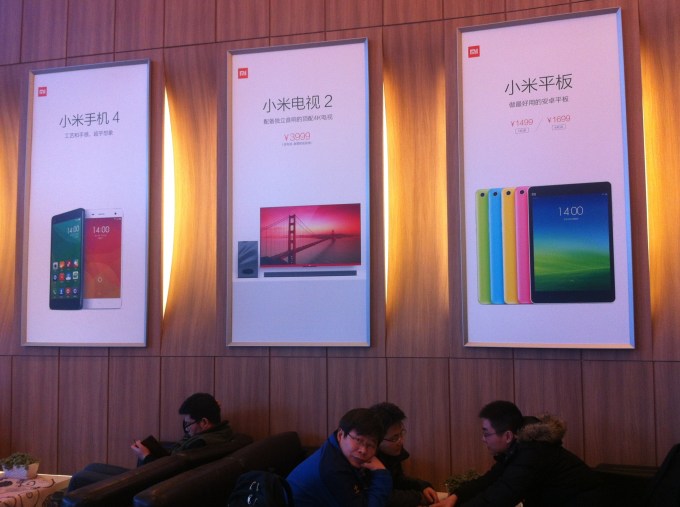
xiaomi

Barra said that the dynamics are “very simple,” but a commitment to devices for two or three years isn’t just about making price cuts. He pointed out that Xiaomi maintains software updates, spare parts and other services that customers require, longer than most companies would.
“The more focused the portfolio, the more efficient we can be at managing those costs too,” he explained.
There are other factors that contribute to the cost structure, including Xiaomi’s lean, online-only marketing focus and its location close to manufacturing plants in China , but the management of components and supply chain partnerships is a crucial element.
Xiaomi has big plans for expanding beyond Asia this year, which will make its pricing model and supply chain more important than ever.
The company sells its phone using an online-only model in most markets, but it has recently begun testing operator partnerships outside of China. It is running a limited trial with Airtel in India, and has found partners in Taiwan, Malaysia and Singapore.
Barra explained that operator partnerships are difficult in markets where the majority of consumers are on pre-paid tariffs — such as India — but it seems clear that Xiaomi is looking into ways to expand its retail footprint. It sold one million devices in its first five months in India using its flash sales model. If it can move beyond that and better meet demand for its phones in India and other emerging markets, it could vastly increase its sales figures in 2015.
Last year, Xiaomi projected that it would sell 100 million devices this year. It increased its target for 2014 mid-way through the year, but we’re yet to hear of a new figure for 2015 from the company.

Wednesday, 29 October 2014

THE APPLE PAY CHALLENGE: LESSONS LEARNED FROM MY WEEK WITHOUT A WALLET


IT'S NOT WITHOUT ITS GLITCHES--AND ITS ENEMIES. BUT APPLE'S MOBILE PAYMENT SYSTEM STILL FEELS LIKE THE FUTURE.

A week ago, when Apple's Apple Pay service became available for the new iPhone 6 and 6 Plus, I decided to give it the most real-world test possible, by leaving my wallet at home and paying for a week's worth of stuff using only Apple Pay. Along the way, I wrote an initial post explaining the experiment and a midweek update.
The experiment ended on Monday, when I opened my sock drawer, retrieved my wallet, and ceremonially returned it to my pocket. Here's a final report on my week with Apple Pay, and what I learned:

THE QUALITY OF THE APPLE PAY EXPERIENCE VARIES.

My experiment was a success in that there was never an instance when I theoretically should have been able to use Apple Pay, but couldn't. And I never buckled and paid for anything with a card or cash. There were times, however, when Apple Pay felt like a needless complication, not a great leap forward.
Oftentimes, the technology was buttery smooth--especially at my local Whole Foods, where the transactions happened so quickly that it did feel a little like wizardry. But when I tried using Apple Pay at a McDonald's drive-thru, it was so unwieldy that I felt guilty about holding up the hungry motorists behind me.
In principle, the cashier was supposed to be able to hand me a portable terminal so I could do the Apple Pay gesture in my car. Instead, he took the phone from me, then handed it back and asked me to launch Passbook. That's an unnecessary step: The app pops up automatically when the phone nears the terminal. And then he had to hand it back twice more before the payment went through. (Fortunately, neither of us dropped my phone.)
Inside the same McDonald's at the counter, my iPhone 6 kept asking me to hold it closer to the payment terminal--even when I was pressing it up right against the sensor. Eventually, it worked, but if I'd had a credit card or a $5 bill with me, I would have given up on Apple Pay after the first error message.
Why my experience was inconsistent from store to store, I'm not sure. It might have something to do with the brand of payment terminal in use, or the cashier's familiarity with the process, or how deftly I held the phone and performed Touch ID authentication, or general kinks in the system. Or maybe a little bit of all of the above.

THERE'S NOT A LOT OF MARGIN FOR ERROR.

Apple Pay competes with using credit and debit cards the old-fashioned way, by removing one from your billfold and swiping it. And plastic is actually a pretty great way to pay for stuff: It's simple, quick, and reliable.
At its best, Apple Pay is better still, and more secure. (The store's payment system sees only a one-time transaction code for your purchase, not full details of your credit card.) But in any scenario in which Apple Pay works less than flawlessly--whether because of technical glitches, confused cashiers, or user error--it loses most of its advantage over doing a card swipe. If it turned out to be as clunky as I found it to be at my nearby McDonald's over the long haul, there wouldn't be any point in using it.

YOU NEED TO BE SURE WHETHER YOU CAN USE APPLE PAY OR NOT.

The only retailer I visited during Apple Pay's first week that was making an obvious effort to drum up interest in the service was Whole Foods. There was signage promoting the service at every checkout aisle, and it was even mentioned on the payment terminal's screen. Other stores I visited weren't yet playing it up--including the Apple Store itself.

Even if a chain is on Apple's list of official partners, it's not a given that you'll always be able to use Apple Pay. At my local Chevron station, I successfully bought gas--once I figured out that I needed to go inside and pre-pay at the register. But when I went back to the same station later in the week and assumed I knew what to do, I discovered that the cashier was ringing me up at a different register, without a contactless terminal. (When I told her that I had no way to pay other than with my phone, an expression flashed across her face that suggested she regarded me as a crazy person, but she politely started all over at the other register.)
That's another issue relating to the tiny window of time which Apple Pay has to be superior to swiping a card. If you have to pause and wonder if you can use Apple Pay, or be picky about which register you choose, it's already lost its edge.

RETAILERS COULD SCREW THIS UP.

In fact, CVS (where I successfully used Apple Pay several times) and Rite Aid already are doing their best to foil Apple Pay. By the end of the week, they'd disabled contactless payments altogether in order to prevent anyone from using Apple's service at their stores.
Both druggists, along with Walmart and others, are backing a competing digital wallet app called CurrentC, which isn't arriving until next year. It doesn't sound like much fun: To use it, you've got to turn on your phone, launch an app, and scan a QRC code at the payment terminal. And CurrentC isn't really an Apple Pay replacement, since it works with debit cards and bank accounts, not credit cards.
Apple Pay is never going to be the one digital wallet to rule them all, since it will only work on properly equipped Apple devices. But really, what retailers should be doing is welcoming a variety of payment options--not shutting some of them out even though the stores' registers are technically capable of accepting them. The odds seem far higher that CVS and Rite Aid will eventually decide to accept Apple Pay than that consumers will flock to CurrentC.

I'M STILL CAUTIOUSLY UPBEAT.

I cheerfully admit that I'm happy to have my wallet back. More than once during the week, I was in a store and realized at the very last moment that I'd forgotten that I could only shop at Apple Pay-friendly establishments. (I even asked my wife if she'd like me to buy her popcorn at a movie theater, and then had to sheepishly retract the offer.)
But even though my experience with Apple Pay wasn't perfect, and despite obstacles such as recalcitrant retailers, I had a good time using it. I expect to reach for my phone rather than my billfold quite often from now on--partly for convenience's sake, and partly for the privacy and security benefits of being able to pay a store without sharing any information about myself. And if mobile payments finally start to catch on--which seems likely to me--we could end up looking back on last week as the most important moment so far in the history of the technology.


The 100 apps that will change your life

Everything you want to know about apps... but were afraid to ask: The Mail runs down the 100 apps that will change your life
Apps are the neatly packaged programs that make your smartphone smart and your tablet more than just a nice, shiny toy. They’re digital tools designed to do a specific job. Here are 100 of the best, most useful apps around. Many are functional, some are just fun. 


Monday, 27 October 2014

Apple Pay isn't magic, and it isn't 'private'

Summary: Apple's new iPhone-based payment system may offer advantages, as will any similar product from competitors. But adding in a smartphone doesn't add privacy, it removes it.


By 

"With Apple Pay, you can use iPhone 6 and iPhone 6 Plus to pay in an easy, secure, and private way," begins the Apple Pay security and privacy overview. Well, sort of. It depends on what you mean by "private". As with any commercial product, the brochure is glossier than the reality.
When it comes to security, Apple Pay is certainly a step up from using a raw credit or debit card number. Assuming, of course, that everything has been implemented correctly and is bug free. That happens all the time, right?
Much of the architectural work has been done in conjunction with banks and credit card processors. As explained in thisinfographic from MasterCard, the iDevice doesn't store the card number, but rather the device-specific Device Account Number (DAN). If some other device attempts to authorise a transaction using that DAN, it won't work.
If the device is lost or stolen, just that single device's DAN needs to be cancelled, not the card number itself. There's no need to contact everyone who had that card number. That's one of the real ease-of-use advantages, along with the potential for easy integration with other smartphone apps — not the idea that taking your phone out of your pocket, logging in, and waving it over an NFC terminal is somehow easier than taking a card out of your wallet and doing the same. Besides, a card never runs out of battery, and is still needed for low-tech merchants.
When it comes to privacy, Apple doesn't get to see what you bought, and the merchant doesn't get to see your card number. "Apple Pay doesn't collect any transaction information that can be tied back to you. Payment transactions are between you, the merchant, and your bank," says Apple's guide.
In fact, some merchants have complained that Apple Pay is too private. Well, too private for them. As US sandwich shop chain Panera Bread told Bloomberg Businessweek, Apple Pay users still have to swipe their loyalty card to be recognised. "Obviously, that's not where we want to be," Panera's executive vice president for technology and transformation Blaine Hurst said. "Why can't I just walk up to a cashier with my phone and all that information magically appears?"
But to call such a transaction "private" is to stretch the meaning of the word beyond breaking point.
The time, location, and value of your financial transactions are still known to Apple and to your card provider — and to every other business they might share that data with. The merchant knows what specific goods or services were purchased for that amount, but not who bought them. But all that is true only if no one does any data matching — either directly between the participants, or by providing the data to data brokers such as Acxiom, Equifax, Experian, or Datalogix, or by collaborating with any of the companies connected with the many, many data-logging apps already on your smartphone.
Given the volume of data being collected and shared these days, supposedly anonymous transactional data can easily be re-identified.
In a recent data-matching exercise, Anthony Tockar of Neustar Research analysed a database of New York's taxi journeys to find the home addresses of frequent visitors to Larry Flynt's Hustler Club. To find their names would be an easy second step. Just "working late", eh?
As International Business Times wrote in its report on this research, "It takes just one or two other pieces of information to turn seemingly anonymous tranches of metadata into precise and specific information about millions of individuals — and not just those who are famous."
In recent years, other researchers have found that they could re-identify 40 percent of individuals in a DNA study and re-identify Netflix users from their movie ratings.
Now add to this mix the facts that almost every retail business has security cameras covering their cashiers, and that face-recognition technology is getting very, very good.
Apple Pay may not give merchants any data that allows them to compile a log of everything that a particular customer bought, but their security systems can help. If the customer then happens to do anything in-store that provides a timestamped and geotagged log entry in a data stream that can be cross-matched, bingo! Anonymity disappears.
Businesses may love being able to do this, of course. But how will it stand up under increasingly tough privacy legislation, or what customers themselves will put up with once they figure out what's going on?
Either way, the idea that Apple Pay transactions are somehow "private" needs to die.

Sunday, 26 October 2014

13 Apps For Transforming Your Phone Into The Ultimate Toolkit


Dark Sky App
Dark Sky

By STEVEN TWEEDIE


Dark Sky.
The best utility apps are designed to make your hectic life a little bit easier, and maybe even more enjoyable.
From apps that makes budgeting beautiful to ones that let you know the exact minute it's going to rain, there's something for every lifestyle.
We've collected the best of the best in this unique mix, and we tossed in a few lesser-known surprises to show what modern apps can do.


Dark Sky tells you exactly when it's about to rain (or snow).

Dark Sky does one thing very well: It tells you exactly when inclement weather, like rain or snow, is going to happen. The app is beautifully designed and features a precipitation timeline that lets you know minute-by-minute predictions for when you can expect rain.
Price: $3.99 (iOS)

Level Money helps you budget your spending in an easy and elegant way.

Level Money helps you budget your spending in an easy and elegant way.
iTunes
Level Money links to your bank account to help you know how much you can spend today, meaning you never have to manually input your purchases. It takes into account your income, monthly spending habits, and how much you're trying to save. If you spend more than you should on a given day, the app will adjust and tell you to spend less the following day.
Price: Free (iOSAndroid)

FlyCleaners lets you choose when to have your laundry picked up and dropped off.

FlyCleaners lets you choose when to have your laundry picked up and dropped off.
iTunes
FlyCleaners is great for when you're just too busy to find time to do your laundry. The app lets you choose when to have you laundry picked up, and your first time they provide free bags. Your laundry is then whisked away, and you can set a time on the app to have it dropped off when it's finished.
Price: Free (iOSAndroid)

Sky Guide is a beautiful astronomy app that works like magic.

You don't have to know anything about astronomy to use Sky Guide. You just aim your phone or tablet at the sky and Sky Guide will highlight the constellations, stars, and planets high above you, displaying details about each. If you want to try locating things on your own, you can use the app's built-in compass to guide you.
Price: $1.99 (iOS)

Venmo makes it easy to instantly pay people quickly and securely.

Venmo makes it easy to instantly pay people quickly and securely.
iTunes
Venmo lets you pay your friends using your smartphone. It's a great tool to have if you need to split a check or you just owe someone money. The app connects to your bank account, and the Venmo's secure 256-bit encryption and Verisign certification means you don't have to worry about your money getting lost in transaction.
Price: Free (iOSAndroid)

1Password and LastPass will make sure you never have to remember a password again.

1Password and LastPass will make sure you never have to remember a password again.
App Annie
1Password and LastPass are two competing services that remember all your passwords for you across all your computing devices. With a special browser extension, you just have to remember one "master password" and the apps will do the rest, helping you fill in your login and password details. It's a hassle-free way to keep all your passwords safe and secure.
1Password available onMacWindowsiOS, and Android 
Price: $7.99 (iOS), Free (Android), $49.99 (Mac and Windows)
LastPass available foriOSAndroid, and Windows Phone
Price: Free

Timeful learns your behaviors in order to help you change your habits.

Timeful learns your behaviors in order to help you change your habits.
Timeful
Timeful is an intelligent calendar app mixed with a to-do list. The app's algorithm learns how you get stuff done and smartly suggests ways to build new habits and get things taken care of, all on your own terms.
Price: Free (iOS)

Yahoo Weather is the best-looking weather app out there.

Yahoo Weather is an award-winning weather app that is elegant, informative, and plenty useful. The app is packed with gestures, and displays photos that match your location, time of day, and current weather conditions.
Price: Free (iOSAndroid)

Square lets you accept credit-card payments anywhere.

Square is the best way to accept credit-card payments on the go through your smartphone or tablet, using a small square reader that plugs into your device's headphone port. It's a great option for small businesses that don't want to work directly with credit-card companies, and the service charges you 2.75% to process transactions for Visa, American Express, MasterCard and Discover. The best part is that you can sign up free and Square will send you one of its credit-card readers at no charge.
Price: Free (AndroidiOS)

Hyperlapse from Instagram transforms your shaky footage into a stunning time-lapse.

Hyperlapse from Instagram transforms your shaky footage into a stunning time-lapse.
App Annie
Until recently, to create smooth time-lapse videos, you needed expensive tripods and stabilization gear. Luckily, Hyperlapse from Instagram uses its image-stabilization techniques to smooth out shaky footage, and the results are impressive. It's great for capturing sports moments, car rides, weather, crowds, and journeys on foot.
Price: Free (iOS)

Skype is an easy and free way to video message.

Skype is an easy and free way to video message.
Skype
Skype is still the best way to video-message people, and voice calls and video calls to other Skype users are free. And since Skype works on multiple platforms, it's an easy way to IM or video conference without having to worry about what device everyone is using.
Price: Free (iOSAndroid)

Google Chrome is the best mobile browser.

Google Chrome is the best mobile browser.
App Annie
Google Chrome for mobile is great because it's lightning fast, easy to use, and syncs with your Chrome web browser on your laptop or home computer. It also lets you keep open an infinite number of tabs, and it can reduce your data usage by up to 50%.
Price:Free (iOSAndroid)

Humin acts like your digital butler.

Humin is an app that remembers all the tiny details about how and where you met someone, so you can focus on the moment instead of remembering. All you need is someone's number, and Humin will do the rest. You'll then be able to search through your contact using familiar phrases like "met last week" or "lives in Brooklyn."
Price: Free (iOS)